OpenClaw Custom Provider Setup with RouterPlex
Connect OpenClaw to RouterPlex as an OpenAI-compatible custom provider, choose Claude or Gemini models, verify the route, and cap agent spending.
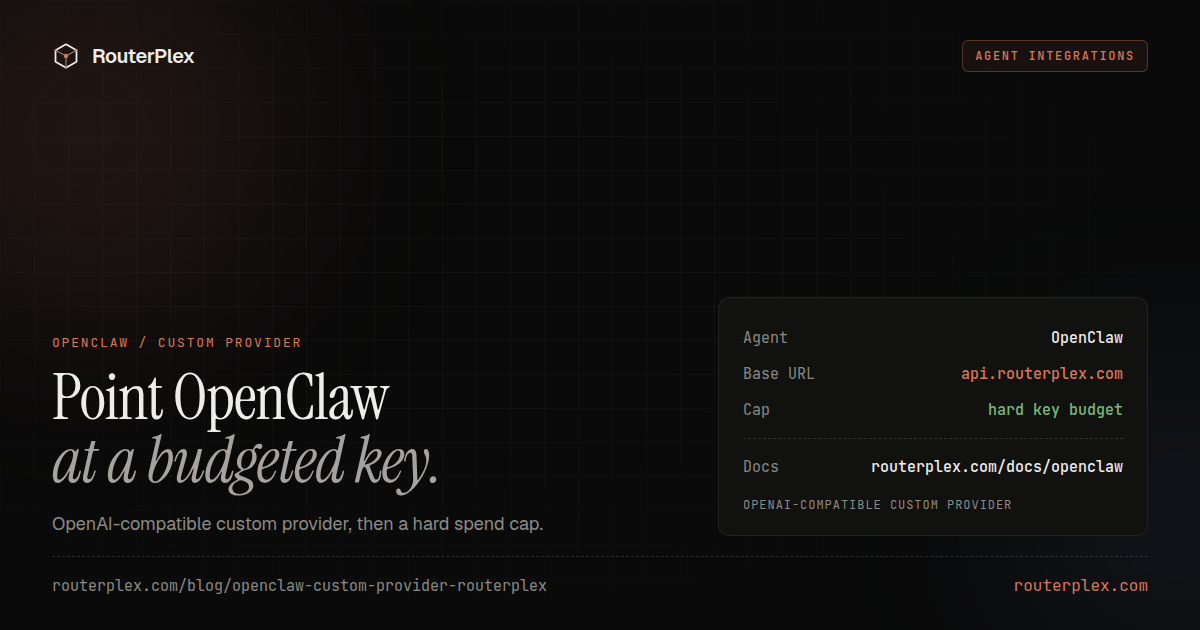
OpenClaw can use RouterPlex as a custom OpenAI-compatible model provider. Add a provider under models.providers, list the models OpenClaw may use, and select them with the routerplex/model-id format.
The result is one OpenClaw installation that can switch between Claude, GPT, Gemini, DeepSeek, and other RouterPlex models without maintaining a separate billing account for every provider.
Configuration fields were checked against the OpenClaw model-provider documentation on July 15, 2026.
1. Create a dedicated OpenClaw key #
Create a RouterPlex API key named openclaw. Give it a hard budget before connecting the agent.
Autonomous agents can make several model calls for one user request. A dedicated key gives the workload its own cost ceiling and makes every call attributable in the usage logs.
For an initial test, a $5 or $10 key budget is enough. Increase it after you have inspected a real task.
2. Add RouterPlex to OpenClaw #
Open or create ~/.openclaw/openclaw.json:
{"models": {"providers": {"routerplex": {"baseUrl": "https://api.routerplex.com/v1","apiKey": "sk-...","api": "openai-completions","models": [{"id": "claude-opus-4-8","name": "Claude Opus 4.8","reasoning": true,"input": ["text", "image"],"contextWindow": 1000000,"maxTokens": 32000},{"id": "gemini-3.5-flash","name": "Gemini 3.5 Flash","input": ["text", "image"],"contextWindow": 1000000,"maxTokens": 16000}]}}},"agents": {"defaults": {"model": { "primary": "routerplex/claude-opus-4-8" },"models": {"routerplex/claude-opus-4-8": { "alias": "Opus" },"routerplex/gemini-3.5-flash": { "alias": "Flash" }}}}}
Use an environment-managed secret in production rather than committing the key. The example shows the field location only.
The models.providers.routerplex.models array registers the runtime models. The separate agents.defaults.models object controls which provider/model references are visible to the agent.
3. Verify the provider #
Run OpenClaw's provider probe:
openclaw models status --probe
Confirm that the RouterPlex base URL appears and both configured models pass the probe. Then start with a short task and check the RouterPlex usage page for the dedicated key.
Common OpenClaw configuration errors #
Model is not allowed
Add the full routerplex/model-id reference to agents.defaults.models. Registering a provider model does not automatically add it to an active allowlist.
Provider returns a 404
Use https://api.routerplex.com/v1 as the base URL and openai-completions as the API mode. Do not append /chat/completions to the configured base URL.
The agent uses an unexpected model
Check for a session-level model pin. Run /model default inside OpenClaw to return to the configured primary model.
Recommended model and budget pattern #
- Use a strong primary model for tool decisions and repository-wide changes.
- Use a faster model for low-risk utility work.
- Keep fallbacks within the models allowed by the RouterPlex key.
- Give each OpenClaw workspace or client its own key when costs need separate attribution.
- Raise the key budget gradually instead of exposing the complete account balance.
The full configuration is also available in the OpenClaw RouterPlex documentation. Create a $5 prepaid account to test the provider with a deliberately small budget. Cheap routes for agent loops are ranked on the cheapest models ledger.
Common questions
Frequently asked questions
Can OpenClaw use an OpenAI-compatible API?
Yes. OpenClaw supports explicit custom providers under models.providers. Set the provider base URL, API key, API mode, and model catalog, then reference models as provider/model-id.
Which API mode should RouterPlex use in OpenClaw?
Use openai-completions. RouterPlex serves the OpenAI-compatible /v1/chat/completions endpoint.
How do I stop OpenClaw from spending the full account balance?
Create a dedicated RouterPlex key for OpenClaw and assign it a hard budget. Also limit the model allowlist and OpenClaw fallback chain.
Run the smallest paid test.
Add $5, cap the key, and verify the result with your own workload. No subscription, and credit never expires — a first top-up of $25+ is matched with $25 extra.