Install Claude Code on macOS, Windows, and Linux
Install Claude Code with the current native installer on macOS, Windows, Linux, or WSL. Verify the CLI, fix PATH errors, authenticate, and update safely.
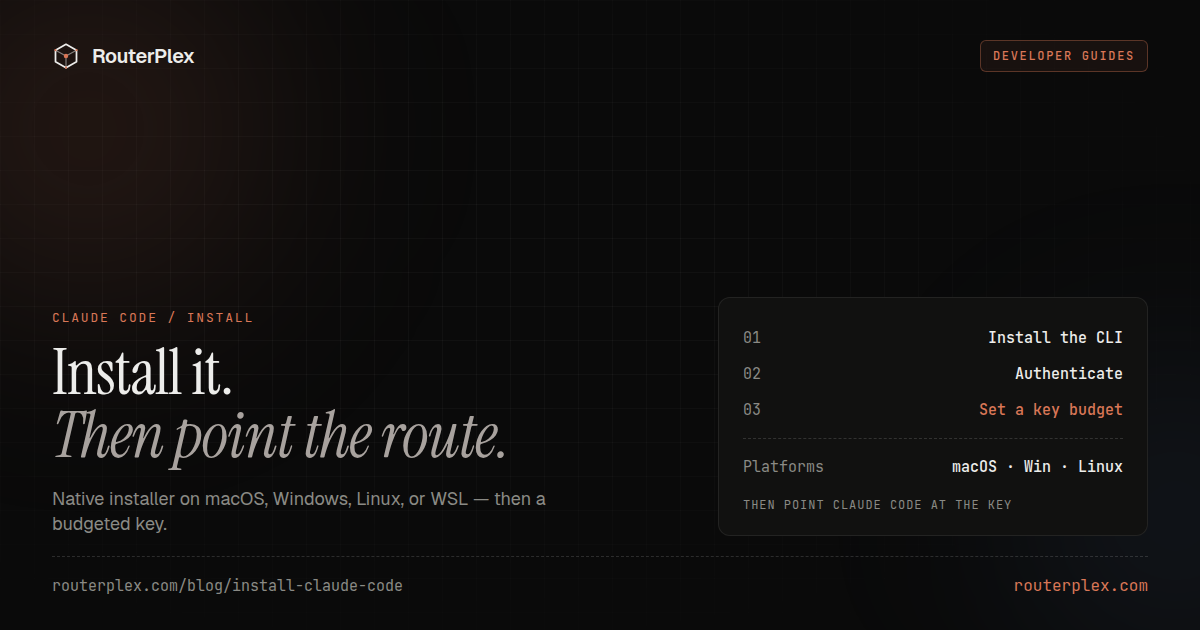
Install Claude Code with Anthropic's native installer unless you have a specific reason to use npm. The native build works on macOS, Linux, Windows, and WSL, updates itself, and does not require Node.js. After installation, run claude --version and claude doctor before opening a real repository.
Source: Anthropic's official Claude Code setup guide, checked July 19, 2026. Installer commands can change; verify the official page before using them in managed deployment scripts.
System requirements #
Anthropic currently lists these minimums:
- macOS 13 or newer.
- Windows 10 version 1809 or newer, or Windows Server 2019 or newer.
- Ubuntu 20.04+, Debian 10+, or Alpine Linux 3.19+.
- 4 GB or more RAM.
- An x64 or ARM64 processor.
- Internet access to authenticate and call the model service.
Claude Code also expects Git for normal repository workflows. Ripgrep is usually bundled.
Install Claude Code on macOS, Linux, or WSL #
Use the recommended native installer:
curl -fsSL https://claude.ai/install.sh | bash
Open a new terminal and verify the binary:
claude --versionclaude doctor
The same command works inside WSL. Run it in the Linux shell, not Windows PowerShell, when you want Claude Code to operate on files inside the WSL filesystem.
Install with Homebrew
Anthropic also publishes a Homebrew cask:
brew install --cask claude-code
Homebrew installations do not use Claude Code's built-in auto-updater. Upgrade through Homebrew:
brew upgrade --cask claude-code
Install Claude Code on Windows #
PowerShell native installer
Open PowerShell and run:
irm https://claude.ai/install.ps1 | iex
Close and reopen PowerShell, then verify:
claude --versionclaude doctor
Windows Command Prompt
Anthropic publishes a CMD installer for environments that do not use PowerShell:
curl -fsSL https://claude.ai/install.cmd -o install.cmd && install.cmd && del install.cmd
Install with WinGet
The package-manager route is:
winget install Anthropic.ClaudeCode
Like Homebrew, WinGet manages upgrades for its own installation.
Install Claude Code with npm #
The npm package is still supported, but Anthropic recommends the native installer for most users. npm requires Node.js 18 or newer.
npm install -g @anthropic-ai/claude-code@latest
Do not run a global npm install with sudo. Fix the npm prefix and permissions instead. Mixing a native installation and npm installation can also leave two different claude binaries on PATH.
Authenticate the first session #
Move into a test directory and start Claude Code:
mkdir claude-code-testcd claude-code-testclaude
The first run opens the login flow. Sign in with a paid Claude plan or use an Anthropic Console/API billing route. Claude Code is included with paid Claude plans; API-funded sessions are billed per token.
Run /status after login to confirm the active account and model before granting repository access.
For current plan prices, read Claude Code pricing: Pro, Max, and API costs.
Fix zsh: command not found: claude #
The exact query zsh: command not found: claude receives roughly 1,600 monthly US searches in OpenSEO data, and it usually means the installation directory is missing from PATH or the shell has not reloaded.
Start with:
which claudeecho $PATHexec $SHELL -lclaude --version
If you used npm, inspect the global prefix:
npm prefix -gnpm bin -g
Add that binary directory to your shell configuration, then open a new terminal. If both native and npm copies exist, remove the older installation so which claude resolves to one expected binary.
Verify Claude Code safely #
Do not begin with a production repository. Use an empty directory and ask a read-only question. Confirm:
claude --versionreturns a version.claude doctorreports a healthy installation./statusshows the expected account and model.- A small prompt succeeds without requesting unnecessary permissions.
- The selected billing route shows the request in its usage dashboard.
Use Claude Code with a custom API gateway #
Installation and model routing are separate. Install the official Claude Code client first. Then set ANTHROPIC_BASE_URL and ANTHROPIC_AUTH_TOKEN if the gateway supports the Anthropic Messages API.
RouterPlex exposes that API shape and lets the same Claude Code client reach supported Claude, GPT, Gemini, DeepSeek, Kimi, and other chat models. Give the coding key a hard server-side budget before the first agent session.
Follow the Claude Code with RouterPlex docs after the base installation works. Use the Claude Code Router (CCR) guide only if you want a local multi-provider control plane.
Update or uninstall Claude Code #
Native installations auto-update by default. Run claude doctor when an update appears stuck. Homebrew and WinGet installations should be upgraded through their package manager, and npm installations can be updated with:
npm install -g @anthropic-ai/claude-code@latest
Before uninstalling, identify the installation method. Removing the npm package does not remove a native or Homebrew binary, and vice versa.
Once the client passes its health check, start a $5 RouterPlex test if you want a prepaid custom route with a hard key budget.
Common questions
Frequently asked questions
How do I install Claude Code?
Anthropic recommends its native installer. On macOS, Linux, or WSL, run curl -fsSL https://claude.ai/install.sh | bash. On Windows PowerShell, run irm https://claude.ai/install.ps1 | iex.
Does Claude Code require Node.js?
The recommended native installer does not require Node.js. The npm installation remains available for advanced or legacy setups and requires Node.js 18 or newer.
How do I fix 'command not found: claude'?
Open a new terminal, run which claude or where.exe claude, and verify that the installer's binary directory or npm global bin directory is on PATH. Then run claude doctor.
Can I install Claude Code on Windows without WSL?
Yes. Anthropic publishes a native PowerShell installer and a WinGet package for Windows. WSL is optional.
Run the smallest paid test.
Add $5, cap the key, and verify the result with your own workload. No subscription, and credit never expires — a first top-up of $25+ is matched with $25 extra.